

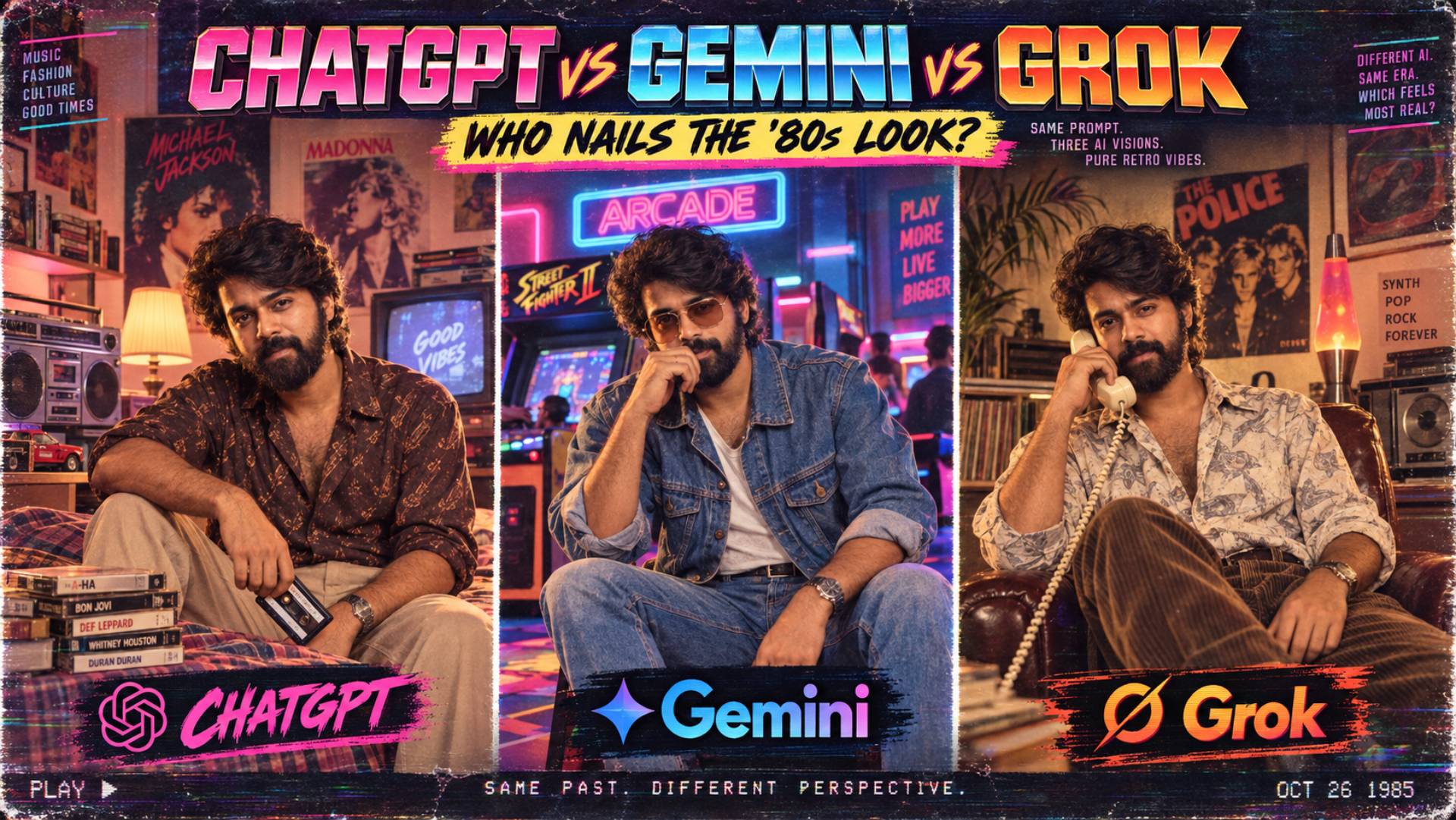
Three tools keep coming up whenever the 1980s AI photo trend gets discussed: ChatGPT’s image tools, Google’s Gemini (widely nicknamed “Nano Banana”), and xAI’s Grok Imagine. All three can take an uploaded photo and rebuild it as a period scene. None of them do it identically, and which one gives you the best result depends heavily on what you’re actually trying to make — a solo studio portrait behaves very differently to a six-person family photo or a quick fix to a pair of hands that came out wrong.
This piece works through what each tool is actually built to do well, based on their own published capabilities and on independent testing that’s been carried out on each of them, and turns that into a practical answer: which one to reach for, depending on the shot you’re trying to get.
• A quick note on how this was put together: rather than running our own single side-by-side test — which tends to reflect one set of prompts for the 1980s on one day, and these tools update fast — this comparison draws on each platform’s own documented feature set together with independent, published testing of the models against each other. Where a claim comes from someone else’s test rather than the tool’s own documentation, we flag it as such below.
Key Takeaways
✓ChatGPT, Gemini, and Grok can all interpret ’80s retro photo prompts differently.
✓Authentic results depend on details such as period-correct fashion, lighting, hairstyles, colour grading, film grain, and background styling.
✓Strong prompts should specify whether you want a family snapshot, studio portrait, mall photo, Polaroid, VHS aesthetic, or cinematic synthwave look.
✓The most convincing AI image is not necessarily the sharpest. Slight imperfections, faded colours, flash photography, grain, and analogue characteristics often make an image feel more authentically 1980s.
✓Testing the same structured prompt across all three AI platforms is the fairest way to compare their visual interpretation and consistency.
Which AI Tool Is Best for ’80s Retro Images?
| Feature | ChatGPT | Gemini | Grok Imagine |
|---|---|---|---|
| Photorealism | Good realism, but lighting can look flatte»r | Strongest for realistic lighting and photo-like detail | Good quality, but less independently tested |
| Face Consistency | Very strong across repeated edits and refinements | Strong, especially for multiple people | Promising, but identity preservation is less documented |
| Best for Groups | Works well for couples and small groups | Best for family and multi-person retro photos | Supports multiple references but has less testing |
| Text in Images | Best for readable signs, posters and lettering | Can occasionally produce inaccurate text | Useful mainly for correcting selected areas |
| Editing | Excellent for conversational, step-by-step changes | Good for prompt-based image refinement | Best for precise local edits and object fixes |
| Best ’80s Use | Studio portraits and headshots | Realistic family, party and lifestyle photos | Fixing hands, props, backgrounds and small errors |
| Main Weakness | Slightly weaker photorealism than Gemini | Complex prompts may need extra corrections | Fewer independent comparisons are available |
» Note: Results may vary depending on the prompt, reference image quality, editing technique, and model version. This comparison highlights the general strengths of each tool when creating ’80s-style retro photos and does not guarantee identical results in every image.
The Quick Verdict
If you only read one section, read this one:
- Best for keeping your face consistent through several rounds of edits: ChatGPT’s image tools. Independent reviews specifically single this out as the strongest option for “conversational, identity-preserving editing” — starting from your uploaded portrait and making controlled changes without the face drifting.
- Best for realism, lighting and overall photographic quality: Gemini. In a published seven-prompt head-to-head, Gemini’s image model won five of the seven categories, with reviewers specifically praising its photorealism and lighting over ChatGPT’s.
- Best for group photos with several real faces to keep track of: Gemini again — its image model is specifically built to preserve the likeness of up to five people at once across a set of reference images, which matters a lot for family portraits, wedding shots or a house-party scene.
- Best for fixing one specific detail without regenerating the whole image: Grok Imagine. It has a dedicated region-based “magic wand” editing tool built for changing just the part of the image that’s wrong, which is exactly the kind of small, targeted correction the 1980s trend often needs.
ChatGPT’s Image Tools
ChatGPT’s current image generation and editing tools are built around iterative, conversational editing — you upload a photo, describe the scene, and then keep refining it in the same conversation. That workflow lines up closely with how the 1980s trend actually gets used in practice: get most of the way there, then ask for one or two specific fixes.
Where it’s strong
Independent comparisons highlight ChatGPT’s tools as particularly good at holding a face steady through a series of edits — useful if your first result is close but needs a correction to the hairstyle, the props, or the lighting without losing the resemblance. It’s also consistently rated as the stronger of the major tools for rendering legible text, which matters if your prompt includes a shop sign, a poster or a chart show backdrop — categories where competing tools are more prone to producing garbled lettering.
Where it’s weaker
In a published nine-round comparison against Gemini, testers found ChatGPT’s output generally less photorealistic, with flatter lighting and detail than Gemini’s equivalent images — Gemini was judged the winner in five of seven tested categories, including photorealism and lighting specifically.
Best used for
A single portrait you plan to refine over several rounds — a studio shot, a headshot, a couple’s portrait — where getting the face right across multiple correction passes matters more than nailing the photorealism on the first attempt.
Gemini (“Nano Banana”)
Google’s Gemini image model — widely known by its nickname “Nano Banana,” and its higher-end version as “Nano Banana Pro” — has built a reputation specifically around photorealism and multi-person consistency, both of which matter a great deal for this particular trend.
Where it’s strong
The model is explicitly built to preserve the resemblance of up to five people across a single generation, drawing on up to 14 reference images — a meaningfully higher ceiling than most competing tools, and a genuine advantage for family portraits, group holiday snapshots or a crowded house-party scene where several real faces need to stay recognisable at once. It also supports higher-resolution output (up to 4K) across a range of aspect ratios. In independent testing, it was rated ahead of ChatGPT’s tools on photorealism, lighting, and following detailed instructions precisely.
Where it’s weaker
The same comparison found ChatGPT held an edge on text rendering and on accurately following complex, multi-step prompts for character consistency — so a prompt with a lot of moving parts (a specific outfit, a specific prop, a specific pose, all at once) may need more correction rounds with Gemini than you’d expect from its overall photorealism reputation.
Best used for
Group and family shots, and any scene where photographic realism — the lighting, the film-like quality, the overall “does this look like a real photograph” test — matters more than perfectly following every instruction on the first pass.
Grok Imagine
xAI’s Grok Imagine is the newest of the three to build out serious editing tools, and it’s taken a noticeably different approach: rather than leaning purely on conversational back-and-forth, it’s built dedicated, precise editing tools for changing one part of an image at a time.
Where it’s strong
Its standout feature for this trend is a region-based “magic wand” tool that edits only the specific area you select, plus segmentation and background-removal tools — genuinely useful for the kind of narrow fix that comes up constantly with 80s AI photos, like correcting a pair of hands or removing one out-of-place object without touching the rest of the image. It also accepts up to five reference images in one generation and can recompose a finished image across nine different aspect ratios, which is handy if you’ve nailed a square version and now need a 9:16 crop for Stories. By xAI’s own published benchmark, it ranks second in the world for both image generation and image editing, behind ChatGPT’s tools.
Where it’s weaker
There isn’t yet the same volume of independent, side-by-side testing on Grok Imagine specifically for face-preserving portrait edits that exists for the ChatGPT-versus-Gemini comparison, so its identity-preservation performance for this exact use case is less well documented than the other two. Treat claims about how well it holds a likeness with a bit more caution until more testing exists.
Best used for
Cleaning up a specific mistake in an image you’ve already mostly finished — a stray prop, wrong hands, garbled background text — rather than as your first choice for generating the whole scene from scratch.
Matching the Tool to the Shot
Based on the above, here’s a practical way to choose, mapped to the kind of 1980s prompt you’re working from:
- A solo studio portrait or headshot: Start with ChatGPT’s image tools — you’ll likely go through two or three rounds of small corrections, and that’s exactly the workflow it’s built around.
- A family portrait, wedding photo or house party with several people: Start with Gemini — its higher reference-image ceiling and multi-person consistency give it a real edge once you’re past two or three faces in frame.
- A photo that’s 90% right except for one broken detail: Try Grok Imagine’s region-based editing rather than regenerating the whole image — it’s specifically built for exactly that job.
- Anything with readable text in the background — a sign, a poster, a chart show backdrop: Lean towards ChatGPT, which independent testing rates ahead on text accuracy.
None of this is a permanent ranking. All three companies ship updates to these models regularly, and a comparison like this has a shelf life — treat it as a starting point for this month’s versions rather than a fixed verdict.
Frequently Asked Questions
Is one of these three tools simply “the best” for the 1980s AI photo trend?
Not consistently — it depends on the shot. Gemini tends to edge out on realism and group photos, ChatGPT on iterative face-preserving edits and text, and Grok on precise, localised fixes.
Can I move an image between tools partway through — start in one, finish in another?
Yes, and it’s a reasonable strategy — generate the base scene in whichever tool suits the shot best, then use another tool’s specific strength (Grok’s targeted editing, for instance) to fix a remaining issue.
Why did Gemini win most categories in the published comparison but ChatGPT still gets recommended for portraits?
The published test measured general image quality across a range of prompt types. For this specific trend, the ability to hold a face steady through several rounds of correction matters more than raw photorealism on the first attempt — and that’s the category ChatGPT was rated strongest in.
Does a higher self-reported benchmark ranking mean a tool is actually better in practice?
Treat a company’s own benchmark claims (including xAI’s ranking for Grok Imagine) as a starting signal rather than the final word — they’re a useful data point, but independent, published side-by-side testing tends to be more reliable for a specific use case like this one.
Do any of these tools guarantee my face won’t change at all?
No — all three can still drift a face across edits, especially through several rounds of changes. Explicitly asking each tool to preserve your facial structure, and correcting in small, focused steps rather than large rewrites, improves the odds regardless of which tool you’re using.
Final Thought
There isn’t a single winner here, and that’s a genuinely useful thing to know before you spend an evening on this trend. Pick ChatGPT when the face has to survive several rounds of editing, pick Gemini when you want a photograph-quality result with several real people in frame, and pick Grok when you’ve got one specific thing to fix without touching the rest. Used together, in that order, they cover each other’s weak points rather well.
The best AI depends on the type of retro image you want to create. Testing identical prompts across ChatGPT, Gemini, and Grok gives you a practical way to identify which model best understands your preferred aesthetic and produces the most believable trip back to the 1980s.
